
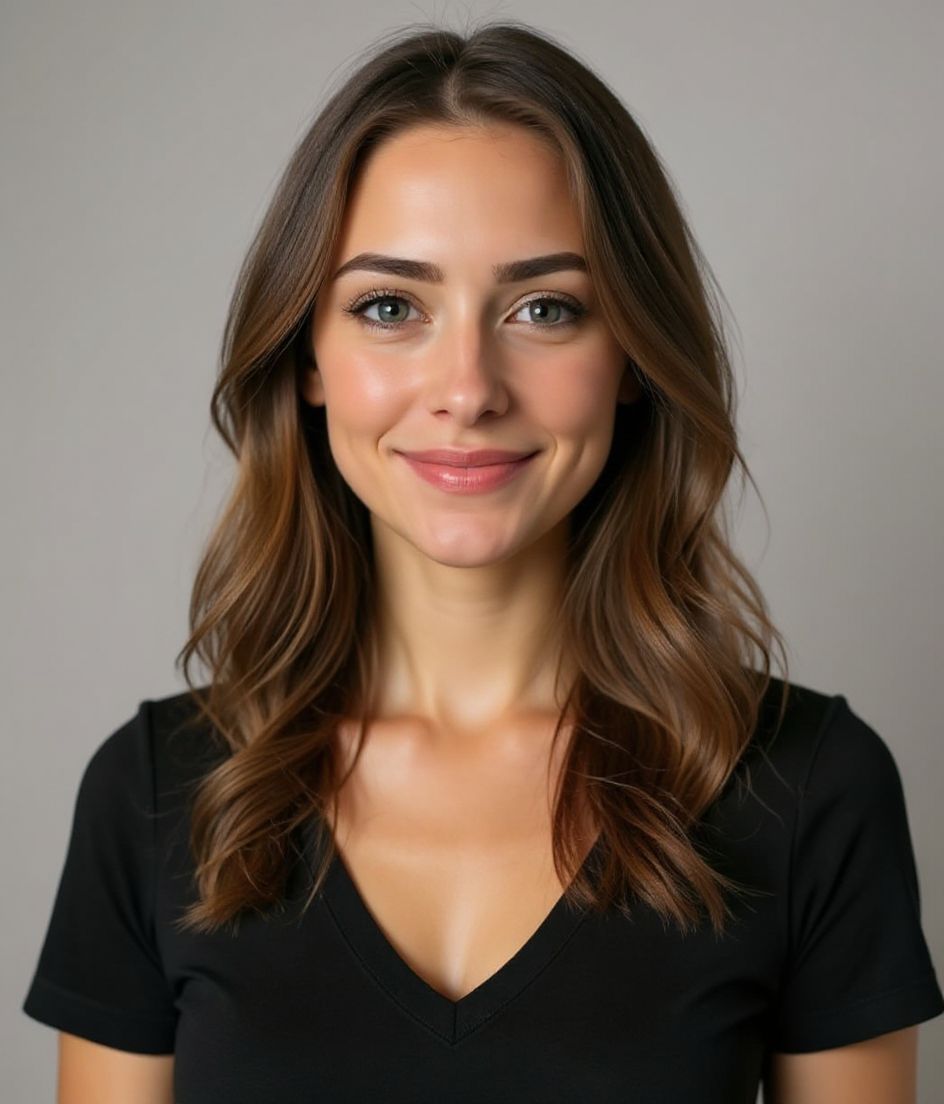
Polished & Pro AI headshot
Confident and professional.
One selfie in. A polished Polished & Pro headshot out — in about 10 seconds.
Business Suit No Tie
Gradient Background
Confident Smile
Soft Studio

Polished & Pro is for a default LinkedIn or résumé photo when you want a collared, confident look that travels across industries. The recipe locks business suit no tie, a gradient background backdrop, confident smile, and soft studio lighting — not a generic “foundations” look. Polished & Pro keeps a business suit (no tie) on a gradient with a confident smile. Clean & Modern drops to a professional top on light gray with a slight smile — quieter, more product-design than client-ready.
Need a polished & pro headshot from one selfie? HeadshotCam applies business suit no tie against a gradient background backdrop with soft studio lighting and a confident smile expression so the result reads as confident and professional.
1
selfie needed
Upload one clear shoulder-up photo and HeadshotCam applies the Polished & Pro style around your real face.
4
style controls
Wardrobe, backdrop, expression, and lighting are tuned together so the final image feels intentional.
60+
style library
If Polished & Pro is close but not perfect, skip it when you already know you need a lab coat, a legal necktie, or a deliberately casual founder crop — then compare the rest of the Foundations collection.
Best for the Polished & Pro style
- a default LinkedIn or résumé photo when you want a collared, confident look that travels across industries
- people who specifically need business suit no tie with a gradient background backdrop and soft studio lighting
- fast LinkedIn, résumé headers, generic About pages refreshes without a studio booking
Skip if
- you already know you need a lab coat, a legal necktie, or a deliberately casual founder crop
- you refuse a clear shoulder-up selfie (bad source photos still produce bad Polished & Pro results)
- you actually want the Clean & Modern recipe (professional top, solid light gray, clamshell lighting)
How to get this look
Polished & Pro headshot with business suit no tie, gradient background background, soft studio lighting.
Keep my face the same, use a confident smile expression, and make the image feel confident and professional.
Generate a polished foundations profile photo with clean crop, natural skin texture, and no watermark.
Common mistakes
Picking Polished & Pro because it is first in the grid, then wondering why a no-tie suit still looks too salesy for a research CV or too stiff for a studio roster. The Foundations trap is using this as the “safe” pick when your industry actually expects clinical, legal, or creative cues. Also: a soft phone selfie with harsh overhead light will fight soft studio lighting — start with a clean face-forward frame.
Shot notes
Shoulder-up, even window or open-shade light, collar sitting flat. Soft studio will polish skin; a harsh overhead selfie will fight it. Aim for shoulder-up, eyes to camera, hair off the face. Polished & Pro steers toward confident smile with soft studio. If the first result is close, refine wardrobe or background with a short edit prompt rather than regenerating from a worse selfie.
About the Polished & Pro style
When is the Polished & Pro style the right headshot?
When you need confident and professional for LinkedIn, résumé headers, generic About pages. Polished & Pro pairs business suit no tie with a gradient background backdrop and soft studio. Polished & Pro keeps a business suit (no tie) on a gradient with a confident smile. Clean & Modern drops to a professional top on light gray with a slight smile — quieter, more product-design than client-ready. If your workplace is more formal or more casual than that wardrobe, pick the neighbor instead of forcing this one.
What should my selfie look like for a good Polished & Pro result?
Shoulder-up, even window or open-shade light, collar sitting flat. Soft studio will polish skin; a harsh overhead selfie will fight it. Use a sharp, face-forward, shoulder-up photo with even light and no sunglasses. The AI can restyle business suit no tie and gradient background, but it cannot invent detail that is not in a blurry or heavily filtered source.
How is Polished & Pro different from other Foundations styles?
The nearest contrast is Clean & Modern. Polished & Pro keeps a business suit (no tie) on a gradient with a confident smile. Clean & Modern drops to a professional top on light gray with a slight smile — quieter, more product-design than client-ready. Polished & Pro specifically locks business suit no tie, gradient background, confident smile, and soft studio. Clean & Modern locks professional top, solid light gray, slight smile, and clamshell lighting.
Can I change the Polished & Pro look after generation?
Yes. Keep the face, then edit with short prompts (background color, jacket color, remove glasses). Switching from Polished & Pro to Clean & Modern is better than endless edits on the wrong base recipe.
More Foundations styles
If Polished & Pro doesn't quite fit, browse these next.



Related
Create your headshot
Skip the studio. Pro headshots in seconds, from one selfie. Free to download on iOS and Android.
Free to download on iOS & Android
- Free download
- 1 selfie
- 5–15 seconds
- No watermark
Scan to download
Point your phone camera at a code

